Streamline photo editing: efficient AI process for designers
Streamline photo editing: efficient AI process for designers
Property photos that fail to impress don’t just look bad — they cost you real money and real time. Listings with professional images sell 50% faster and earn 118% more online views, yet most designers and agents still spend hours on manual edits that could be done in minutes. AI-driven photo editing changes that equation entirely. This guide walks you through every step of a faster, smarter editing workflow so you can close more deals, win more design clients, and stop losing weekends to Lightroom presets.
Table of Contents
- Why efficient photo editing matters for designers and agents
- AI photo editing fundamentals: What you need before starting
- Step-by-step: The AI-driven photo editing workflow
- Troubleshooting: Common pitfalls in AI photo editing
- Validating and showcasing your edited images
- Level up your design visuals with VibeMyFlat’s AI photo editor
- Frequently asked questions
Key Takeaways
| Point | Details |
|---|---|
| AI saves valuable time | AI photo editing can save 5-10 hours per month by streamlining repetitive edits. |
| Boosted property results | Listings with professional images sell up to 50% faster and receive 118% more views. |
| Consistent visual quality | Automated presets ensure every photo meets your design or branding standards. |
| Easy troubleshooting | Most common editing issues are easily solved with guided workflows and review tips. |
Why efficient photo editing matters for designers and agents
Visual marketing is the first handshake between a property and a buyer. Before anyone schedules a showing or books a design consultation, they scroll through photos. If those images look flat, dark, or cluttered, the conversation ends before it starts.
The numbers back this up. Professional photos sell 32-50% faster and generate 118% more views, while AI-enhanced editing can cut days on market by 51%. That is not a marginal improvement. That is a competitive advantage that compounds across every listing in your portfolio.
But time is the real bottleneck. Interior designers juggle client revisions, mood boards, and vendor coordination. Real estate agents manage showings, contracts, and follow-ups. Neither group has hours to spare on repetitive editing tasks. Here is what eats up the most time in a typical workflow:
- Color correction across dozens of rooms with inconsistent natural light
- Object removal for staging clutter, cords, or personal items
- Exposure balancing between bright windows and darker interior spaces
- Resizing and exporting for multiple platforms with different specs
- Consistency checks to ensure all images match a single visual style
“The biggest shift in real estate marketing is not the camera — it is what happens after the shoot. Agents who automate editing win back hours every week.”
This is exactly why seamless photo editing has become a non-negotiable skill for professionals who want to scale. AI tools handle the repetitive work so you can focus on strategy and client relationships.
AI photo editing fundamentals: What you need before starting
Before you process a single image, you need the right setup. Jumping into AI editing with poor source material is like trying to bake a great cake with stale ingredients. The output will only be as good as what you put in.
Start with image quality. Shoot at the highest resolution your camera allows, ideally RAW format. Aim for wide-angle shots between 16mm and 24mm to capture full room context. Consistent angles across rooms create a cohesive visual story that buyers and clients trust.
Next, understand what separates AI editing platforms from traditional manual tools. AI-driven visuals save agents 5-10 hours per month by automating tasks that used to require expert-level software skills. Here is a side-by-side comparison:

| Feature | Manual editing (Lightroom/Photoshop) | AI-powered editing (VibeMyFlat) |
|---|---|---|
| Learning curve | Steep, weeks to master | Minimal, natural language input |
| Batch processing | Manual preset application | Automated across full shoot |
| HDR generation | Requires bracketed exposures | Single image AI enhancement |
| Object removal | Manual masking required | One-click or text prompt |
| Time per photo | 10-20 minutes | Under 30 seconds |
| Consistency | Varies by editor skill | Uniform across all images |
Key AI features to prioritize when choosing a platform include HDR processing, smart color balance, automatic lighting correction, and one-click object removal. User-friendly photo editing platforms designed for interior spaces understand design principles natively, which means fewer manual corrections after the AI does its work.
Pro Tip: Always shoot more angles than you think you need. AI batch editing makes processing 40 images almost as fast as processing 10, so extra coverage costs you nothing in post-production time.
If you are new to AI-assisted workflows, rapid photo editing AI tools are designed to flatten the learning curve dramatically. You describe what you want in plain language and the AI handles the technical execution.
Step-by-step: The AI-driven photo editing workflow
Here is the exact process that saves designers and agents the most time while delivering listing-ready results.
-
Upload and organize your images. Group photos by room or property. Most AI platforms accept bulk uploads, so you can queue an entire shoot at once rather than processing one image at a time.
-
Apply global AI enhancements. Let the AI run its baseline corrections first. This includes exposure normalization, white balance adjustment, and shadow recovery. These fixes alone eliminate 60-70% of manual work.
-
Use smart composition tools. AI cropping suggestions align images to standard real estate framing rules. Accept or adjust based on your creative direction. This step takes seconds per image.
-
Generate HDR versions. Even from a single exposure, AI can simulate HDR results by intelligently recovering highlight and shadow detail. Review before-and-after previews before committing.
-
Remove clutter and distractions. Use text prompts or one-click tools to remove objects like trash cans, cords, or personal photos. This is where AI editing truly outpaces manual work.
-
Export for each platform. Set up export profiles for MLS listings, Instagram, your website, and client presentations. AI tools maintain quality across all output sizes.
The table below shows realistic time savings at each stage:
| Editing stage | Manual time | AI-assisted time | Time saved |
|---|---|---|---|
| Global corrections | 30 min | 3 min | 27 min |
| Composition and crop | 20 min | 2 min | 18 min |
| HDR processing | 45 min | 5 min | 40 min |
| Object removal | 40 min | 4 min | 36 min |
| Export and resize | 15 min | 2 min | 13 min |
| Total (20 images) | 150 min | 16 min | 134 min |
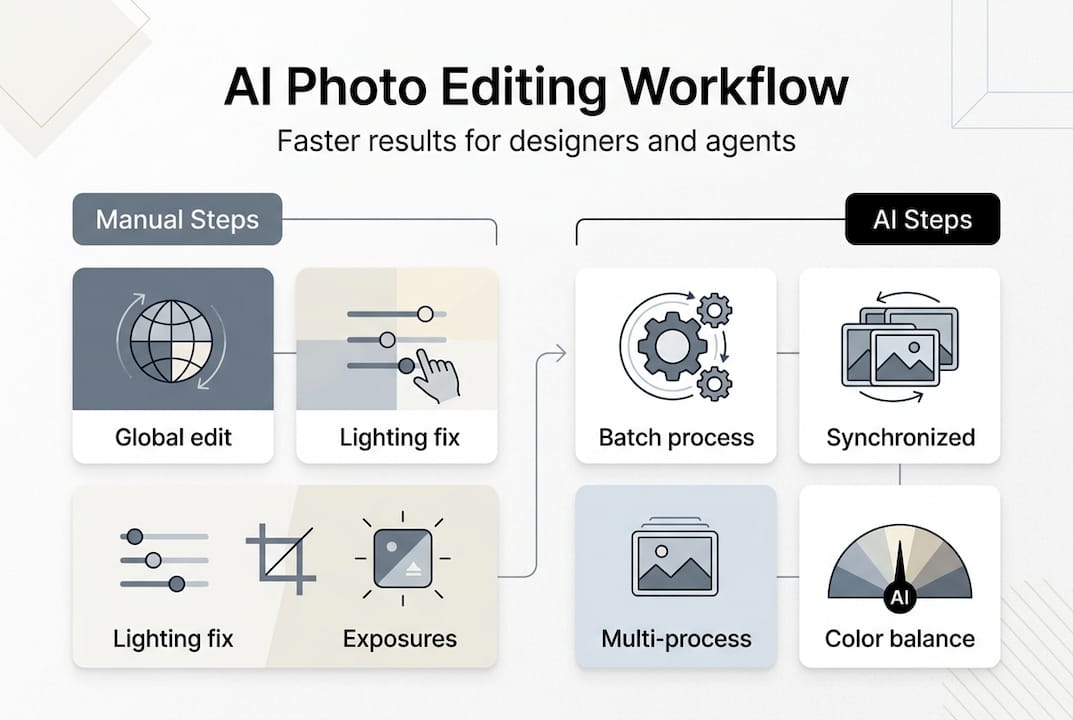
AI visuals triple the number of clicks and leads generated by real estate listings. That means faster editing is not just a time win. It is a revenue multiplier.
Pro Tip: Build a branded preset library inside your AI platform. Apply your signature color palette and exposure style to every shoot in one click. Clients will recognize your work instantly, and consistency becomes your brand.
For a deeper walkthrough of specific room types, the interior photo editing tutorial covers kitchens, living rooms, and bathrooms in detail. If you prefer a self-directed approach, the DIY photo editing guide is a solid companion resource.
Troubleshooting: Common pitfalls in AI photo editing
AI does most of the heavy lifting, but it is not infallible. Knowing where things go wrong saves you from publishing images that hurt rather than help your listings.
Over-editing is the most common mistake. When AI cranks up saturation, sharpness, or HDR intensity too far, rooms start to look like video game environments rather than real spaces. Buyers notice. Always compare your edited image against the original and ask: does this still look like a place someone could actually live?
Inconsistent lighting across shots is the second major issue. If your kitchen photos look warm and golden but your bedroom shots look cool and blue, the listing feels disjointed. Use a consistent color temperature setting across all rooms in a single property.
Here are the most common pitfalls and how to fix them:
- Blurry source images: AI cannot sharpen a fundamentally out-of-focus photo. Reshoot rather than over-process.
- Lens distortion: Wide-angle shots create barrel distortion. Use AI lens correction before any other enhancement.
- Clipped highlights: Bright windows that are completely blown out cannot be recovered. Use exposure bracketing at the shoot stage.
- Artificial shadows: Over-aggressive HDR processing creates halos around furniture edges. Reduce HDR intensity by 20-30% as a starting point.
- Inconsistent crops: Varying room heights in your framing make a portfolio look amateur. Set a standard crop ratio before batch processing.
“An edited photo that looks fake is worse than an unedited one. Buyers trust what feels real.”
High-quality, accurately edited images can result in up to 47% higher price per square foot. That premium disappears the moment images look manipulated or unnatural. Precision matters as much as speed.
For specific guidance on fixing problem lighting scenarios, lighting adjustment tips covers the most common indoor lighting challenges in detail.
Validating and showcasing your edited images
Editing is only half the job. How you review, package, and present your images determines whether they actually perform in the market.
Start with a final review checklist before any image goes live:
- Sharpness: Key focal points like countertops, furniture edges, and architectural details must be crisp
- Color accuracy: Wall colors and material finishes should match the real space as closely as possible
- Consistency: All images in a set should share the same tone, brightness, and color temperature
- Web optimization: File sizes should be under 500KB for fast page load without visible quality loss
- Platform specs: MLS, Zillow, and Instagram all have different dimension requirements. Check each before uploading
AI-powered images generate three times more leads and clicks for property listings. But only if they load fast and display correctly on every device.
Pro Tip: Build before-and-after split-screen comparisons for every major project. These are powerful tools in client presentations and social media content. They show your value instantly without a single word of explanation.
For interior designers, edited images are also portfolio assets. A well-curated gallery of before-and-after transformations builds credibility faster than any written bio. Explore how to transform your space with AI to see how other designers are using edited visuals to win new clients and showcase their range.
Once your review process is locked in, the final step is distribution. Create separate export folders for each platform, label them clearly, and archive originals. This system makes future updates or repurposing effortless.
Level up your design visuals with VibeMyFlat’s AI photo editor
You now have a complete workflow from shoot to publish. The missing piece is a tool that executes every step without requiring technical expertise or hours of manual work.

VibeMyFlat’s AI photo editor was built specifically for interior designers and real estate agents who need professional results fast. Describe your edit in plain language, and the platform handles exposure, color, object removal, and HDR in under 30 seconds per image. Batch processing means an entire property shoot is ready in minutes, not hours. Whether you are preparing a luxury listing, updating a design portfolio, or staging a virtual renovation, VibeMyFlat gives you the speed and consistency that manual editing simply cannot match. Try it on your next shoot and see the difference in your first session.
Frequently asked questions
How much time can AI photo editing save designers and agents?
AI editing saves 5-10 hours per month for each agent or designer by automating repetitive correction and export tasks that previously required manual effort.
Does AI photo editing improve property sales performance?
Yes. Listings with AI-edited images sell 50% faster and attract 118% more online views compared to listings with unedited or low-quality photos.
What are key features to look for in AI photo editing tools?
Prioritize batch editing, HDR processing, smart lighting adjustments, and natural language input so you can edit entire shoots quickly without needing advanced technical skills.
Can AI editing help maintain consistent branding in images?
Absolutely. Saving custom presets and using automated workflows ensures every image you publish reflects the same color palette, tone, and style that clients associate with your brand.