Guide to fast property photo edits for real estate listings
Guide to fast property photo edits for real estate listings

TL;DR:
- Fast, high-quality photo editing helps listings sell 32% faster and gain 118% more views.
- AI-powered tools can reduce editing time by up to 96%, enabling quick batch processing.
- Balancing speed with realism and proper quality checks ensures accurate, trust-building property images.
Your new listing goes live in hours, not days. The photos look sharp, the rooms feel inviting, and the inquiries start rolling in before you even finish your coffee. That’s not luck—that’s what fast, high-quality photo editing does for real estate agents and property managers. Listings with edited photos sell 32% faster and receive 118% more views than those without. Slow editing workflows cost you time, money, and momentum. This guide walks you through exactly what tools you need, how to run an efficient editing process, what pitfalls to avoid, and how to measure real results.
Table of Contents
- What you need for lightning-fast property photo edits
- Step-by-step: Fastest way to edit property photos
- Troubleshooting and common mistakes in rapid editing
- Measuring results: What to expect from fast photo edits
- Why the smartest agents balance speed with realism
- Save hours per listing with VibeMyFlat’s advanced editing solutions
- Frequently asked questions
Key Takeaways
| Point | Details |
|---|---|
| AI tools save time | Automation can cut editing hours down to minutes, especially in bulk. |
| Balance speed and quality | Fast workflows still require a careful eye to ensure images look authentic and comply with MLS rules. |
| Track business results | The real benefits are higher listing views, faster sales, and less wasted effort when edits are done right. |
| Hybrid approach works best | Using AI for basics and human review for complex edits protects reputation and raises property appeal. |
What you need for lightning-fast property photo edits
Speed starts before you open a single image. Having the right setup in place means you’re not scrambling when a listing deadline hits. Let’s cover the essentials that separate agents who deliver polished photos in hours from those who wait days.
Hardware and connectivity matter more than most agents realize. A fast computer with at least 16GB of RAM and a solid-state drive will prevent the bottlenecks that kill your momentum mid-batch. A stable, high-speed internet connection is equally critical if you’re using cloud-based AI solutions for rapid edits, since uploading and downloading large image files on a slow connection adds unnecessary time.
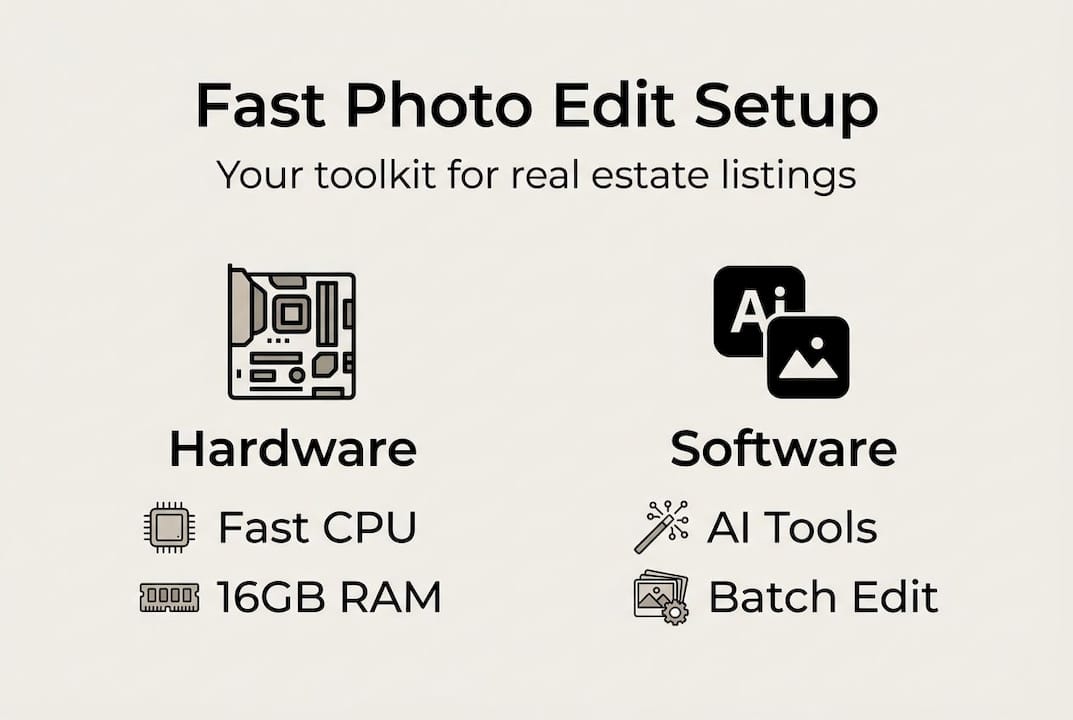
Software is your biggest lever. AI-powered platforms have completely changed what’s possible. Tools like Imagen, Fotello, and PhotoUp can reduce editing time by 85-96%, processing up to 1,500 photos per hour compared to the 3 to 10 minutes a skilled human editor spends on a single image. That’s not a minor improvement—it’s a workflow revolution.
Here’s a quick comparison to help you decide which approach fits your needs:
| Approach | Speed | Quality control | Best for |
|---|---|---|---|
| Manual editing | Slow (3-10 min/photo) | High | Complex, unique shots |
| AI-only | Very fast (seconds/photo) | Good for standard shots | High-volume batches |
| Hybrid (AI + human review) | Fast with precision | Highest | Most listing scenarios |
Batch processing is non-negotiable for anyone managing multiple listings. Instead of editing one photo at a time, batch tools apply corrections to dozens or hundreds of images simultaneously. Pair that with user-friendly editing tools that don’t require a design background, and you have a setup that almost anyone on your team can operate.
Before editing begins, organize your files into clearly labeled folders by property address and room type. Always keep an original backup. This prevents the nightmare of overwriting a raw file you later need.
Pro Tip: After editing, always quality-check (QC) your images for realism. AI tools are fast, but they can occasionally produce results that look artificial. A quick human review catches anything that might mislead a buyer or violate MLS rules.
Step-by-step: Fastest way to edit property photos
With the right tools ready, the process itself needs to be just as disciplined. A consistent workflow means fewer mistakes, faster turnaround, and results you can confidently publish.
- Import and back up all files immediately. As soon as photos come in from the photographer, transfer them to your editing machine and create a backup copy in a separate folder or cloud drive. Never edit the originals.
- Sort images by room and priority. Group living spaces, kitchens, bedrooms, and exterior shots. Lead with the rooms that sell the listing—usually the living room, kitchen, and primary bedroom.
- Run the batch through your AI platform first. Let AI handle the heavy lifting: exposure correction, white balance, color grading, and basic cropping. Most platforms process a full set of 20 to 30 listing photos in under two minutes.
- Flag photos that need manual attention. Unusual lighting, reflections in windows, or cluttered corners may need a human touch. Pull these out of the batch and address them separately. Photo editing steps for these edge cases often involve targeted adjustments rather than global corrections.
- Apply presets and templates to maintain consistency. Consistent tone and brightness across all photos makes a listing look more polished and professional.
- Export in the correct format and resolution for MLS. Most MLS systems have specific file size and dimension requirements. Exporting incorrectly means rework, which costs time you don’t have.
- Do a final QC pass before uploading. Check each image for realism, correct framing, and brand consistency.
Here’s how the time investment compares when editing a set of 30 photos:
| Method | Time to edit 30 photos | Consistency |
|---|---|---|
| Manual only | 90 to 300 minutes | Variable |
| AI-assisted workflow | 5 to 15 minutes | High |
A streamlined AI workflow consistently delivers that 85 to 96% time reduction that separates productive agents from overwhelmed ones.
Pro Tip: Build a preset library for your most common listing types—small condos, large single-family homes, luxury properties. Applying the right preset at the start of a batch saves multiple manual adjustments per image.
Troubleshooting and common mistakes in rapid editing
Even the best tools can’t protect you from mistakes, so let’s look at how to avoid the pitfalls that trip up agents and managers.
The biggest time wasters in rapid editing are almost never about the tools themselves. They’re about process failures:
- Double handling photos because files weren’t organized before editing began
- Skipping batch tools and editing images one by one out of habit
- Not using presets, which forces you to make the same manual corrections repeatedly
- Failing to back up files, which leads to starting over when something goes wrong
Over-editing is a separate and more serious problem. It’s tempting to push brightness, saturation, and sharpness to make a room look its absolute best. But prioritizing QC for realism is essential to avoid misleading buyers and risking MLS violations. When photos show a sun-drenched room that’s actually dim, or a kitchen that appears twice as large as it is, buyers feel deceived when they walk through the door. That erodes trust—and sometimes leads to complaints or listing removal.
Never sacrifice accuracy for speed. MLS violations can undo all your hard work.
Another common mistake is reviewing your edits only on the screen you used to edit them. Colors and brightness look different across monitors, phones, and tablets. Always do a final review on a different device before publishing. What looks perfect on a calibrated desktop monitor may appear washed out on a phone screen.
Some photos simply need a professional human editor. Complex scenes with mixed lighting sources, sunset exterior shots, or high-end luxury interiors often require the kind of nuanced judgment that AI currently struggles with. Knowing when to escalate saves you from publishing subpar images that hurt a listing. Faster real estate sales depend on photos that are not just quick to produce but genuinely compelling.
Pro Tip: Create a short checklist for your final QC step: correct colors, realistic brightness, proper cropping, no visible watermarks, and MLS-compliant file size. Run through it for every listing before you hit publish. Home staging tips integrated into your photo review can further sharpen what buyers actually see.
Measuring results: What to expect from fast photo edits
To wrap up the workflow, let’s see how fast edits translate into results—and how to track what matters most.
Fast photo editing only creates real business value when you can see it in your numbers. Tracking results systematically helps you justify the investment in better tools and processes, and it shows you where to keep improving.
The benchmarks are clear. Edited listing photos generate 118% more views and help homes sell 32% faster. AI tools deliver an 85 to 96% reduction in editing time. Those numbers compound: more views mean more showings, faster sales mean more listings per quarter, and time saved means you can take on more clients without burning out.
Here are three practical ways to measure your improvement:
- MLS view counts: Compare the first-week view totals for listings with rapid AI-edited photos against your previous listings. A significant jump in views indicates your photos are performing better in search results.
- Days on market: Track how long edited listings take to go under contract versus your historical average. Even a few days faster per listing adds up to significant revenue over a full year.
- Time invested per listing: Log how many hours you spend on photo editing per property. If your workflow is working, this number should drop sharply within the first few weeks of using AI tools.
The advantages of fast editing go beyond time savings. When you consistently deliver polished, listing-ready photos quickly, you build a reputation for professionalism that attracts more seller clients. Pair that with an understanding of how edited visuals boost property appeal and you have a repeatable system that scales.
Done right, rapid photo editing means faster turnaround, more online leads, and higher close rates. It’s one of the highest-leverage improvements a real estate agent or property manager can make. Investing time upfront to elevate property visuals pays off every single listing cycle.
Why the smartest agents balance speed with realism
Here’s a perspective every agent and manager should hear: pure speed is not the goal. Accuracy is.
The most effective real estate photographers and editors we’ve seen use AI for the heavy, repetitive work—exposure fixes, color correction, cropping—and save their human judgment for the moments that matter. That’s not a compromise. It’s the actual best practice. AI tools excel at basics and repetitive tasks, but humans still bring better nuance and contextual creativity to complex scenes.
The agents who build lasting businesses don’t just ask “how fast can I publish?” They ask “will this photo make a buyer trust me?” Speed and volume get listings out the door. Realism and accuracy keep your reputation intact. The real estate editing advantages come from doing both, not choosing between them. Batch 90% of your work through AI, review every image with fresh eyes, and escalate complex shots to a human. That’s the formula that wins long-term.
Save hours per listing with VibeMyFlat’s advanced editing solutions
If you want to put these strategies into action today, VibeMyFlat is built exactly for this.

The VibeMyFlat AI photo platform gives real estate agents and property managers a single place to edit, enhance, and prepare listing photos at speed. Describe what you want in plain language—brighter rooms, cleaner walls, updated lighting—and the AI delivers professional-quality results in under 30 seconds. No design background needed. Works on desktop, iOS, and Android. Whether you’re managing one listing or fifty, VibeMyFlat helps you cut editing time dramatically while keeping every image accurate, compelling, and listing-ready. Start your first edit today and see the difference fast, smart photo editing makes.
Frequently asked questions
How much faster is AI photo editing compared to manual methods?
AI tools reduce editing time by 85 to 96%, processing up to 1,500 images per hour compared to 3 to 10 minutes per photo with manual editing.
What’s the optimal number of photos for a property listing?
Research shows 20 to 30 photos per listing attracts the most views and supports faster sales performance.
Are there risks with over-editing property photos?
Yes—over-edited images can mislead buyers and violate MLS accuracy rules, so always review every photo for realism before publishing.
When should a professional editor handle property photos?
Complex lighting situations, luxury interiors, or any scene where human nuance matters are best handed off to a professional human editor for the highest-quality result.