7 Key Advantages of Virtual Home Editing for Upgrades
7 Key Advantages of Virtual Home Editing for Upgrades

TL;DR:
- Virtual home editing saves 95-99% of traditional costs with quick, realistic results.
- It allows for instant, unlimited experimentation and revisions in under two minutes.
- Using virtual editing improves online listing traffic, inquiry rates, and sale speed.
Repainting a room, rearranging furniture, or gutting a kitchen to see how it looks — these experiments used to cost thousands of dollars and weeks of disruption. Virtual home editing changes that entirely. Using AI, you can now upload a photo of any room and instantly preview bold new styles, colors, materials, and layouts — all without touching a single wall. This article walks through the biggest advantages of virtual home editing, so you can decide how to put it to work for your next project, whether you’re planning a renovation, staging a home to sell, or just dreaming about a refresh.
Table of Contents
- Unmatched cost savings vs. traditional methods
- Rapid turnaround and real-time experimentation
- Design flexibility and creative experimentation
- Enhanced visualization leads to better decisions
- Faster sales and superior listing performance
- What most articles miss about virtual home editing
- Ready to start your virtual home transformation?
- Frequently asked questions
Key Takeaways
| Point | Details |
|---|---|
| Cut costs dramatically | Virtual home editing slashes expenses by up to 99% compared to physical upgrades. |
| Get instant results | AI-powered tools deliver new room looks in seconds or minutes for rapid decision-making. |
| Explore unlimited designs | Easily test and refine dozens of styles, colors, and layouts without commitment. |
| See before you build | High-quality previews let you plan smarter renovations and avoid expensive mistakes. |
| Boost listing performance | Homes with virtually edited images attract more buyers, sell faster, and fetch higher prices. |
Unmatched cost savings vs. traditional methods
After outlining the overall benefits, let’s dive into the first — and often biggest — advantage: how much money you’ll save.
Physical home staging can easily run $2,000 to $5,000 or more for a single property. Hiring an interior designer, renting furniture, and paying for labor adds up fast. Virtual home editing flips that math completely. Virtual staging saves 95-99% compared to traditional staging or renovation costs, making it accessible for nearly any budget.
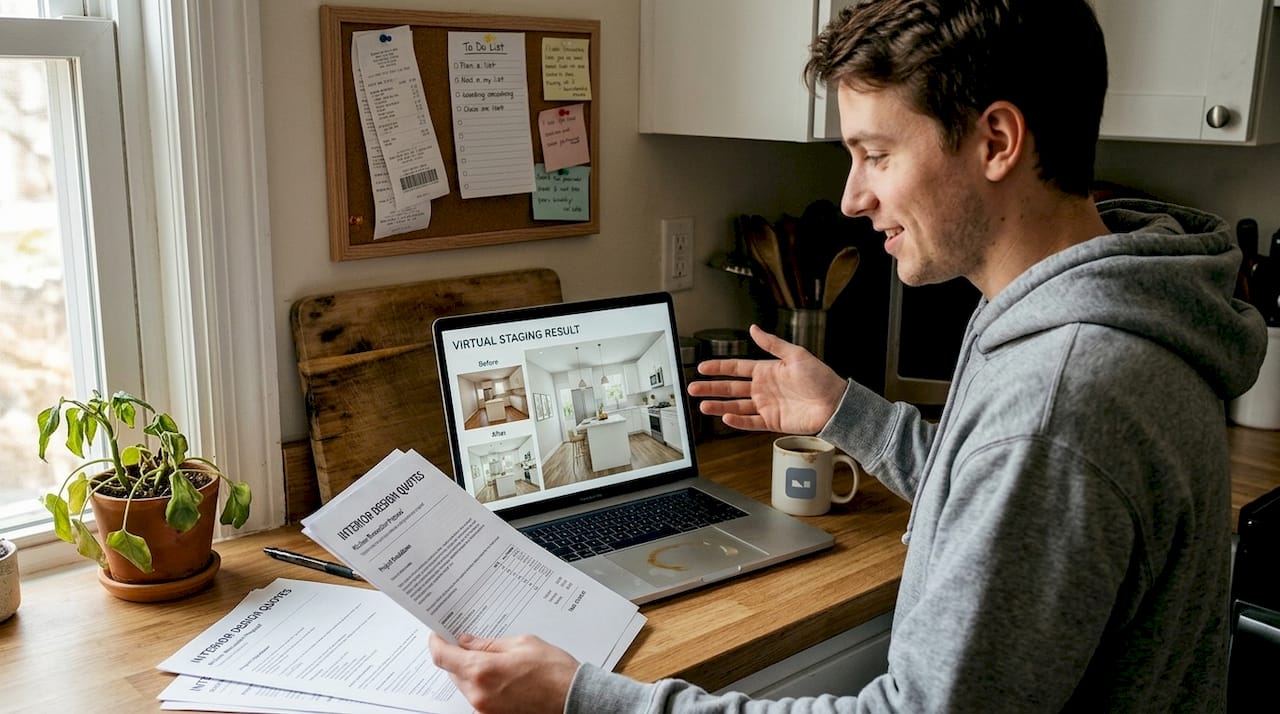
For homeowners and DIY renovators, that’s a game changer. AI editing tools now process images for as little as $0.13 to $0.54 per image, while physical staging projects typically start at $2,000 and climb much higher. You’re not sacrificing quality either — results look polished and realistic.
| Method | Typical cost | Turnaround |
|---|---|---|
| Physical staging | $2,000 to $5,000+ | Days to weeks |
| Traditional renovation preview | $500 to $2,000 | 1 to 3 weeks |
| AI virtual editing | $0.13 to $0.54/image | Under 2 minutes |
Here’s where the savings compound for DIY projects:
- No rental fees for furniture or props
- No contractor fees to test a layout idea
- No wasted materials from a color choice that doesn’t work
- Unlimited revisions at no extra charge
This low barrier to entry means you can test three different kitchen styles before spending a single dollar on cabinets. That’s a level of financial safety that physical renovation has never offered. You can learn more about making the most of these savings through home staging photo editing guides designed for homeowners.
Pro Tip: If you have multiple rooms to update, batch your photo edits in one session. Many AI platforms offer volume pricing or faster processing for grouped uploads, stretching your budget even further.
Rapid turnaround and real-time experimentation
Cost is crucial, but speed can be even more valuable — especially when you need to make decisions fast.
Traditional staging requires scheduling, delivery, setup, and photography — a process that takes 5 to 10 days minimum. With AI, processing takes between 10 and 90 seconds, giving you a finished image in the time it takes to pour a cup of coffee. That’s not a small improvement; it’s a complete shift in how quickly you can move from idea to decision.
| Task | AI virtual editing | Physical staging |
|---|---|---|
| First result | Under 2 minutes | 5 to 10 days |
| Design revision | Seconds | Days |
| Multiple style tests | Same session | Multiple setups |
This speed supports rapid listing launches and unlimited design revisions, which matters enormously when market conditions shift fast. Here’s how homeowners are putting quick edits to work:
- Preparing listing photos in hours, not weeks
- Testing renovation ideas before hiring anyone
- Sharing multiple style options with family for group input
- Getting instant feedback on color or furniture choices
“The ability to iterate quickly without cost penalties is what separates virtual editing from every other design tool available to homeowners today.”
For personal remodeling projects, the speed advantage is just as powerful. You can test a bold accent wall, a new sofa arrangement, and a completely different lighting scheme in a single afternoon. Exploring AI visualization benefits shows just how much this iterative approach changes the renovation experience.
Pro Tip: Before buying any furniture or materials, run at least three virtual edits with different options. This iterative testing often reveals what you actually want — and saves you from expensive returns.
Design flexibility and creative experimentation
Speed and cost aren’t the only factors — having creative control can transform the project experience.
Virtual editing removes the “commitment anxiety” that stops many homeowners from experimenting. When changing a wall color costs nothing and takes seconds, you’re free to be bolder. AI tools now let you test 30+ styles with unlimited revisions using voice or chat input, so you can describe exactly what you want in plain language and see it rendered instantly.
The design options go well beyond paint colors:
- Swap flooring materials from hardwood to tile to polished concrete
- Try different furniture arrangements without moving anything physically
- Test lighting changes from warm to cool tones
- Preview built-in shelving or cabinetry layouts
- Apply preset style themes like Scandinavian, industrial, or coastal
For DIYers, the drag-and-drop and natural language interfaces make this feel accessible, not technical. You don’t need design school or software training. Platforms like VibeMyFlat are built so you can describe your vision the same way you’d explain it to a friend, and the AI interprets and applies it. Browsing AI design ideas or exploring interior redesign options can spark ideas you wouldn’t have considered otherwise.
Pro Tip: Invite a family member or friend to review your virtual edits before committing to any changes. Fresh eyes often catch issues with scale, color balance, or flow that you might overlook.
Enhanced visualization leads to better decisions
Once you can test styles and layouts instantly, you’re ready for the next advantage: truly seeing your future space — and making smarter decisions.
One of the most underrated benefits of virtual home editing is what it reveals before you spend money. A photorealistic preview can show you that a sectional sofa blocks natural light, or that your chosen tile pattern makes a small bathroom feel cramped. Accurate visual previews reduce costly change orders and mid-construction fixes — problems that are expensive and stressful to correct once work has started.
| Decision point | Without virtual preview | With virtual preview |
|---|---|---|
| Layout approval | Guesswork | Confirmed visually |
| Material selection | Sample swatches | Full-room rendering |
| Color choice | Paint chip comparison | Room-wide visualization |
Here’s a practical way to use virtual previews to plan any project:
- Upload your current room photo
- Apply your top two or three design options as separate edits
- Compare results side by side for layout, lighting, and proportion
- Identify any potential problem areas the visualization reveals
- Finalize your material and color selections before purchasing
This process is especially powerful for renovations where mistakes are costly. Reviewing photo editing steps used by professionals can help you capture source photos that produce the most accurate AI renderings, giving you sharper previews to work from.
Faster sales and superior listing performance
Whether you’re planning to sell or just want to maximize your home’s value, virtual editing offers performance advantages you can track.
Buyers make snap judgments online. 97% of buyers start their home search online, which means your listing photos are your first impression — and often your only chance. Weak visuals mean fewer clicks, fewer showings, and lower offers.
Virtual staging delivers measurable results. Staged homes see 72% more online traffic, 44% more inquiries, 36% faster sales, and 22% higher sale prices compared to non-staged listings. Those aren’t minor improvements — they represent real dollars and real time saved.
| Metric | Non-staged listing | Virtually staged listing |
|---|---|---|
| Online traffic | Baseline | +72% |
| Buyer inquiries | Baseline | +44% |
| Sale speed | Baseline | Up to 36% faster |
| Sale price | Baseline | Up to 22% higher |
To optimize your listing images with virtual editing:
- Edit every main room, not just the living room
- Use consistent lighting across all edited photos
- Depersonalize spaces by removing clutter virtually
- Show multiple layout options for flexible rooms
Learning how to boost property appeal with photo editing gives you a clear roadmap for making every room look its best before your listing goes live.
What most articles miss about virtual home editing
All the stats and features are compelling, but there are real-world nuances homeowners should consider.
Virtual editing is exceptional for online presentations, budget projects, and fast decision-making. But it doesn’t replace every scenario where physical staging still wins. Hybrid staging is optimal for many cases, especially luxury listings where buyers expect a tactile, sensory experience during in-person showings. A rendered photo of a velvet sofa can’t communicate how a room feels to walk through.
The smarter play is knowing when to use each. Use virtual editing to launch listings fast, test renovation concepts, and market widely online. Layer in physical staging selectively for high-value properties where in-person impressions carry more weight. Reviewing real estate photo editing tips helps you understand which approach fits which situation.
There’s also an ethical piece that rarely gets discussed: any virtually staged image should be clearly labeled as such. Buyers deserve to know what the space actually looks like. Transparency builds trust, and trust closes deals. The homeowners who handle this best treat disclosure as a feature, not a limitation.
Ready to start your virtual home transformation?
If you’re ready to try these benefits hands-on, getting started is simpler than you might expect.

VibeMyFlat lets you upload any room photo and describe the changes you want in plain language — new wall colors, updated furniture, different lighting — and delivers professional-quality results in under 30 seconds. No design background required, no complex software to learn. Whether you’re prepping a listing, planning a renovation, or just exploring ideas, it’s the fastest way to see your home’s potential. Try VibeMyFlat today and see your first transformation in minutes. For a step-by-step walkthrough, the seamless editing guide covers everything from photo capture to final export.
Frequently asked questions
How much does virtual home editing typically cost?
Virtual editing usually costs between $0.13 and $0.54 per image, making it far cheaper than any traditional staging or renovation approach.
Is virtual home editing effective for increasing home sales?
Yes. Homes using virtual editing gain 72% more online traffic and sell up to 36% faster, with sale prices averaging 22% higher than non-staged listings.
Can I use virtual editing for my own renovation plans?
Absolutely. Virtual tools let you test renovations before building, spot layout problems early, and finalize material choices without spending a dollar on physical samples.
Are there any disclosure requirements with virtual staging?
Yes. Virtually staged images must be labeled as such in listings, and final quality depends heavily on the lighting and angle of your source photos.
Who benefits most from using virtual home editing?
Virtual editing is best suited for homeowners, DIY renovators, and online sellers who want to preview or market home improvements efficiently without the cost or time of physical staging.